Form
A wrapper component using Formik to automatically bind Inputs and Buttons for form handling.
Usage
import { Form, Input, Button } from '@smartacteam/react-native-ui';
<Form
 initialValues={{ email: '', password: '' }}
 onSubmit={(values) => ...}
 validationSchema={...}
>
  <Input
    formName="email"
    label="Email"
    placeholder="Enter your email"
  />
  <Input
    formName="password"
    label="Password"
    placeholder="Enter your password"
    secureTextEntry
  />
  <Button form="submit">
    Submit
  </Button>
  <Button form="reset" variant="secondary">
    Reset
  </Button>
</Form>
Example
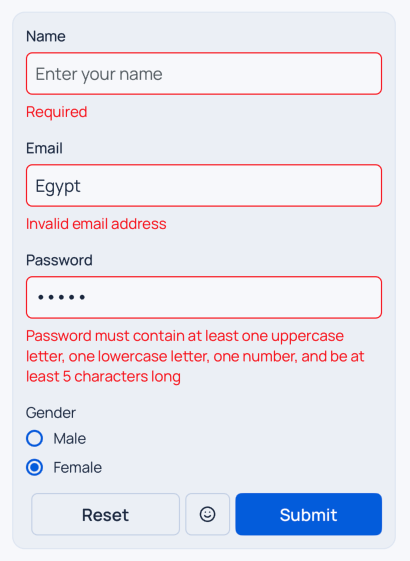
Props
| Name | Type | Required | Description |
|---|---|---|---|
initialValues | FormikConfig<FormikValues> | Yes | Initial values for the form fields. |
onSubmit | (values: FormikValues) => void | Yes | Callback triggered when form is submitted. |
validate | (values: FormikValues) => any | No | Validation function that returns an object of errors. |
children | React.ReactNode | Yes | Form children, typically Input and Button components. |
| … | FormikConfig props | No | All other Formik config options are supported. |
Behavior
Inputcomponents with aformNameprop are automatically wired to Formik handlers (onChangeText,onBlur,value,error,description).Radio.GroupandCheckbox.Groupcomponents with aformNameprop are automatically wired to Formik handlers (onChangeText,onBlur,value,error,description).Buttoncomponents withform="submit"orform="reset"automatically callhandleSubmitandhandleReset.- Nested structures are supported. Any child component’s subtree will also be recursively scanned and transformed.
Inputs without a
formNamewill be left untouched.Buttons not using
form="submit"orform="reset"behave as usual.
See
FormikConfigfor more advanced usage.